
The _paste in place command _is useful if you want to copy and then paste an object (art, text, or photo) into the exact same position on a page as the original object. For example, if you want an object on page 1 of your project to also appear in the exact same position on page 2, use the _paste in place command. _
To use the paste in place command, simply select an object then click the copy button or use the keys CTRL + C (Cmd + C on a Mac). Now go to the page onto which you want to paste the object.
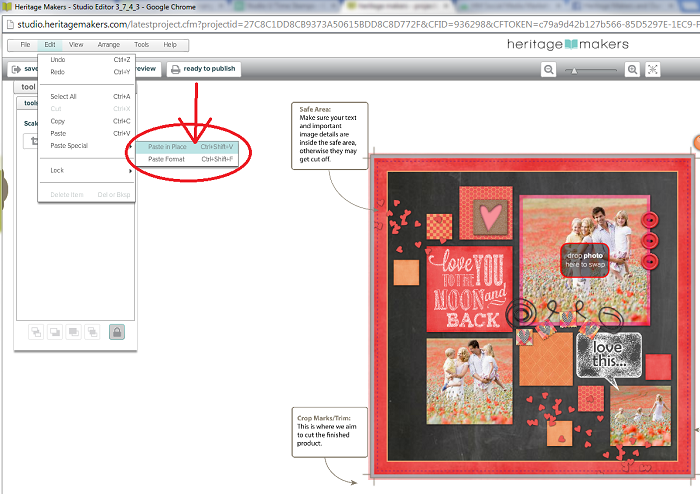
Go to the menu bar in the top left corner of your Studio screen. Select Edit > Paste Special > Paste in Place. The quick keys for the paste in place command are CTRL + SHIFT + V (Cmd + Shift + V on a Mac).
** Learn more about copying and pasting objects.
Learn more about selecting objects.**
* Watch this great video from our August 14, 2014 Studio U class about using the "Copy" and "Paste Special" features in Studio.*
0 Comments